Quickstart
The fastest way to see Agentwerke working is the tokenless quickstart. It runs the API and web UI with a deterministic mock model provider, so you do not need API keys, GitHub credentials, or external accounts.
Prerequisites
- Docker
- Docker Compose
Start the stack
From the repository root:
docker compose -f docker/docker-compose.quickstart.yml up --buildWait for the API and web UI containers to start, then open:
| URL | Purpose |
|---|---|
http://localhost:3002 | Agentwerke web UI |
http://localhost:8081/api/health/live | API liveness probe |
You can check the API from a terminal:
curl -sf http://localhost:8081/api/health/liveExpected response:
{"status":"live"}Run the sample workflow
- Open
http://localhost:3002. - Go to the Runs page.
- Click Run sample workflow.
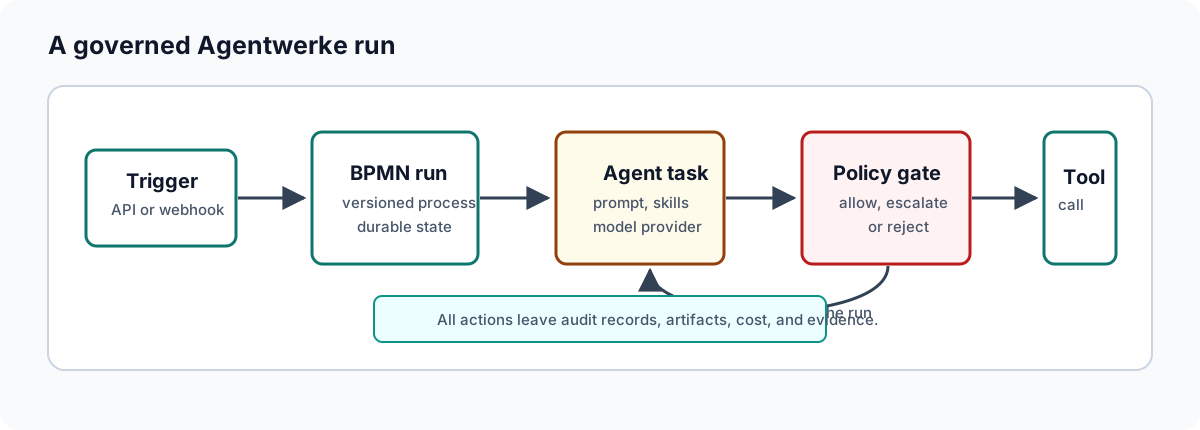
The seeded workflow is a small governed SDLC slice:
Draft Implementation Note -> Review Sample Output -> DoneThe agent step uses the mock provider. It completes without model credentials and without token cost.
Approve the review gate
When the run reaches the review step, it pauses at a human approval task.
- Open the run detail page.
- Review the agent output and policy rationale.
- Click Approve.
After the approval decision, the run should move to completed.
Inspect the evidence
Every run can expose an evidence pack through the API:
curl -sf http://localhost:8081/api/runs/<run-id>/evidence-pack \
  -H "Authorization: Bearer <dev-token>"
The quickstart UI handles the easiest path. Use the API path when you are validating automation or collecting evidence in CI.
Stop the stack
docker compose -f docker/docker-compose.quickstart.yml down -vThe -v flag removes the quickstart database volume so the next run starts from a clean seeded state.
Next steps
- Learn how runs progress: Runs
- Learn approvals and evidence: Approvals And Evidence
- Configure a real model provider: Model Providers
- Start runs from GitHub issues: GitHub Issue Trigger
- Harden deployment settings: Deployment