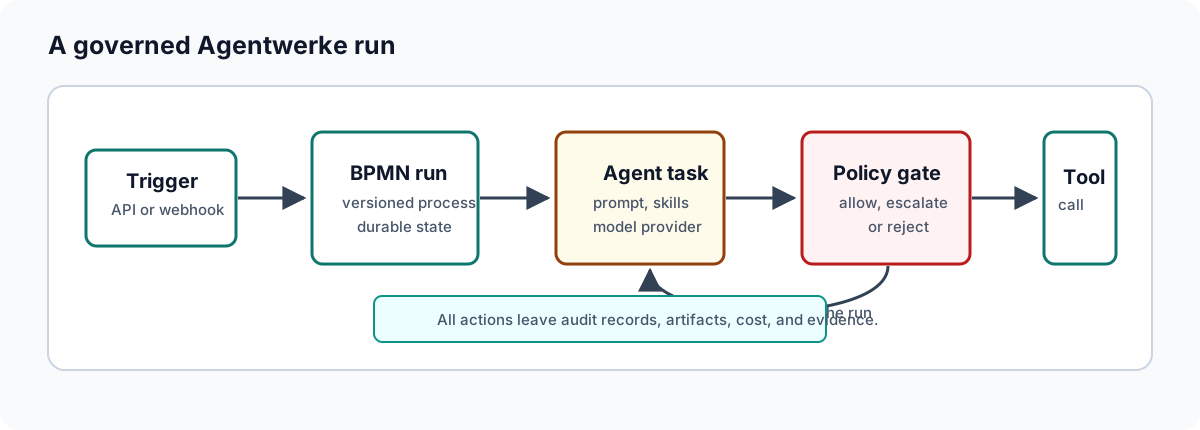
Workflow Authoring
Agentwerke workflows are BPMN 2.0 documents with Agentwerke extension elements that make selected nodes executable by the agent runtime. The examples use the current autofac: XML prefix as a wire-format compatibility token; the product and docs domain are Agentwerke.
Authoring workflow
- Model the happy path first.
- Add approval gates where human judgment is required.
- Add wait states for external systems such as CI, merge events, or scheduled pauses.
- Add agent tasks only where automation has enough context and safe boundaries.
- Configure purpose, policy tag, permission level, sandbox profile, retries, and prompt.
- Validate the workflow before publishing.
- Run it with a low-risk input before enabling integration triggers.
Agent task
An agent task is usually a BPMN serviceTask or scriptTask with autofac:agentTask in extensionElements.
<bpmn:serviceTask id="Implement" name="Implement">
  <bpmn:extensionElements>
    <autofac:agentTask
      agent="implementation-engineer"
      action="implement"
      executionMode="agent_sandboxed"
      sandboxProfile="repo-write"
      purposeType="implementation"
      policyTag="repo-change"
      permissionLevel="read-write"
      allowedTools="sandbox.file_write,sandbox.git">
      <autofac:prompt>Implement the change described in {{input.body}}.</autofac:prompt>
    </autofac:agentTask>
  </bpmn:extensionElements>
</bpmn:serviceTask>
Use the smallest permission level and tool list that can complete the task.
Approval task
Use an approval task for governed human decisions:
<bpmn:userTask id="Review" name="Code Review">
  <bpmn:extensionElements>
    <autofac:approvalTask purposeType="code_review" policyTag="human-code-review" />
  </bpmn:extensionElements>
</bpmn:userTask>
Approval task names should tell the human what decision they are making. The policy tag should match the governance boundary, not just the UI label.
External event
Use external events when the workflow must wait for another system:
<bpmn:intermediateCatchEvent id="WaitForMerge">
  <bpmn:extensionElements>
    <autofac:externalEvent
      messageName="github.pull_request.merged"
      correlationKeyTemplate="{{input.branch_name}}" />
  </bpmn:extensionElements>
  <bpmn:messageEventDefinition />
</bpmn:intermediateCatchEvent>
Correlation keys must be stable and unique enough to avoid resuming the wrong run.
Prompt and context variables
Prompts can use run-context variables:
| Variable | Source |
|---|---|
{{input.*}} | Values seeded when the run starts. |
{{output.<NodeId>}} | Output from prior service or agent steps. |
{{event.*}} | Payload merged from a resumed external event. |
{{run_id}}, {{step_id}}, {{node_name}} | Runtime task metadata. |
Keep prompts specific. Put policy, permission, and sandbox controls in workflow configuration instead of relying on prompt wording.
Workflow review checklist
- The BPMN diagram includes layout information so the UI can render it.
- Every agent task has a clear action, purpose type, and policy tag.
- Permissions and allowed tools are narrow.
- Code-writing tasks use an appropriate sandbox profile.
- High-risk transitions have approval tasks.
- External waits have explicit correlation keys.
- Failure and rejection paths are modeled where needed.
- The workflow has been validated and tested with low-risk input.