GitHub Issue Trigger
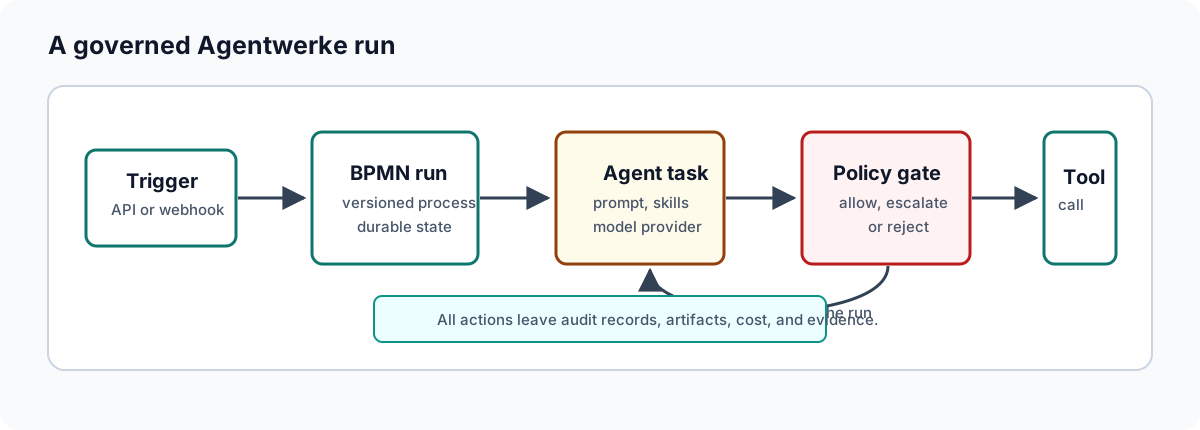
Agentwerke can start a workflow run from a GitHub issue. This lets a team file a feature or bug, opt it into Agentwerke, and let a governed workflow plan, implement, review, and open a pull request.
How the trigger works
- GitHub sends an
issueswebhook toPOST /webhooks/github. - Agentwerke validates
X-Hub-Signature-256againstIntegrations:GitHub:WebhookSecret. - Agentwerke checks the issue action against
Integrations:GitHub:TriggerActions. - Agentwerke checks that the issue has the required label.
- Agentwerke resolves the active workflow tagged
github-trigger. - The run starts with issue title, body, labels, and URL in run context.
- Agent and GitHub tool calls still pass through the Tool Gateway and policy.
Required label
By default, the issue must carry the label agentwerke. This prevents every new issue from spending model budget or opening branches.
Configure the label:
bash
Integrations__GitHub__RequiredLabel=agentwerkeMatching is case-insensitive. Set the value to an empty string only if every matching issue action should start a run.
Configure GitHub integration
At minimum:
bash
Integrations__GitHub__Enabled=true
Integrations__GitHub__RepositoryOwner=<owner>
Integrations__GitHub__RepositoryName=<repo>
Integrations__GitHub__PersonalAccessToken=<secret>
Integrations__GitHub__WebhookSecret=<shared-secret>
Integrations__GitHub__DefaultBaseBranch=main
Integrations__GitHub__BranchPrefix=agentwerke/run-
Integrations__GitHub__CreateDraftPullRequests=true
Use Settings to check GitHub readiness before enabling webhook traffic.
Configure the repository webhook
In GitHub repository settings:
- Add a webhook.
- Set the payload URL to
https://<your-agentwerke-host>/webhooks/github. - Set the content type to
application/json. - Use the same shared secret as
Integrations:GitHub:WebhookSecret. - Subscribe to the
issuesevent.
Configure the workflow
The workflow you want to start must be active and tagged:
text
github-triggerThe agent task can read trigger context through variables such as:
text
{{input.title}}
{{input.body}}
{{input.url}}
Validate the flow
- Create the
agentwerkelabel in the repository. - Open a test issue with the label.
- Confirm GitHub webhook delivery succeeds.
- Confirm Agentwerke starts a run.
- Inspect the run context and evidence pack.
- Confirm any branch or pull request created by the workflow matches the configured prefix and draft setting.
Troubleshooting
| Symptom | Likely cause |
|---|---|
| Webhook returns skipped | The action is not enabled, the label is missing, or no active github-trigger workflow exists. |
| Signature validation fails | The GitHub webhook secret and Agentwerke setting differ. |
| Run starts but GitHub actions fail | Repository owner/name/token or permissions are wrong. |
| Agent spends budget unexpectedly | Required label was disabled or issue templates apply it too broadly. |